


Workstation Rental in pune
Workstations
Product you may like

FILTER

Delivered & set up in 6 hours
- Best seller

Intel Core i7 (9th Gen) | 16GB | 512GB SSD | 4GB GPU | 15.4″
Save 50%₹ 2,250/mo
₹4,500
1 day
- Best seller

Intel Core i9 (11th Gen) | 32GB | 512GB NVMe | RTX A2000 | 16″
Save 50%₹ 5,750/mo
₹11,5001 day
- New products

Lenovo Yoga 6 | Ryzen 7 | 16GB | 512GB | Touch | 13″
Save 45%₹ 3,630/mo
₹6,600 - Best seller

Intel Core i7 11th Gen | 16GB | 512GB NVMe | 4GB Quadro QN20 | 15.4″
Save 50%₹ 4,538/mo
₹9,0752 days
- Offers

Intel Core i7 12th Gen | 16GB | 512GB NVMe | 4GB Nvidia T600 | 15.4″
Save 50%₹ 5,000/mo
₹10,000 
Ryzen 5 4600H | 8GB | 512GB SSD | GTX1650 4GB | 15.4″
Save 50%₹ 3,000/mo
₹6,0002 days
- New Arrivals

Intel Core i5 11th Gen | 16GB | 512GB SSD | 4GB GPU | 15.4″
Save 50%₹ 3,100/mo
₹6,2001 day
- OUT OF STOCK
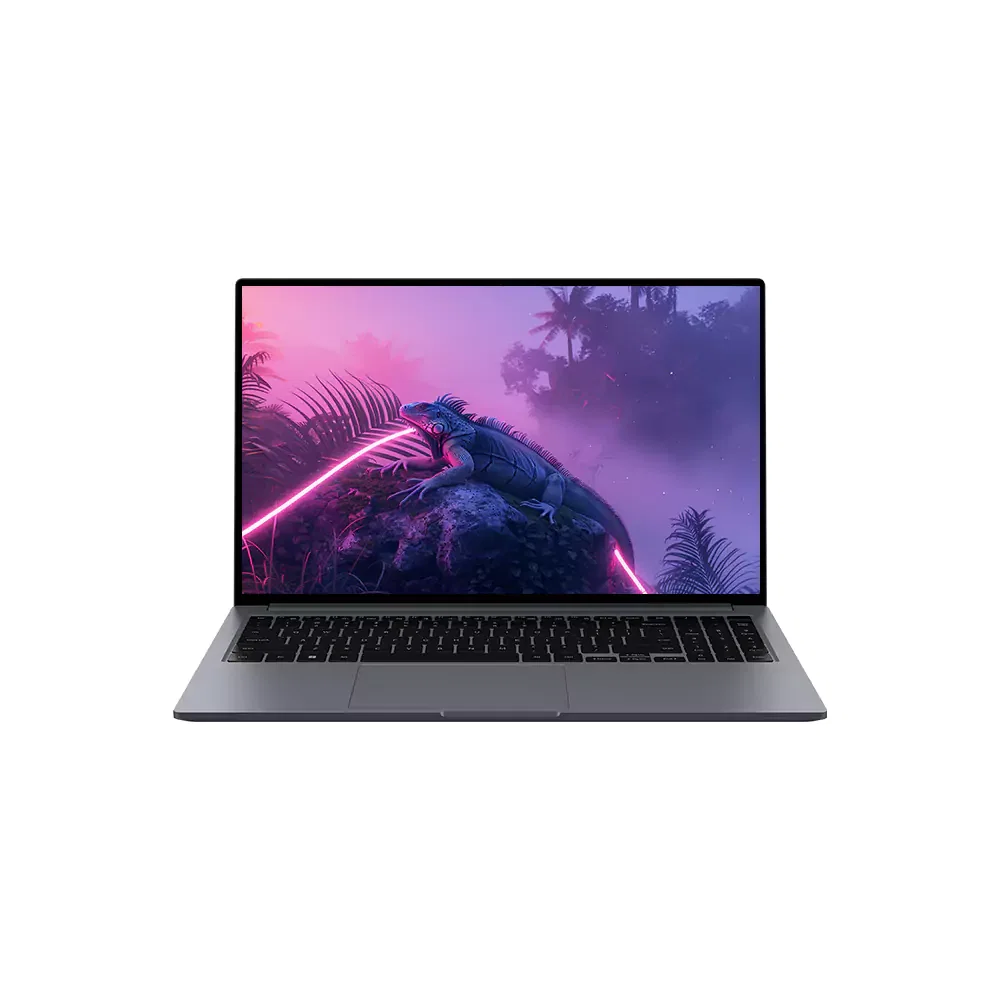
Intel i9 (12th Gen) | 64GB RAM | 1TB NVMe | Quadro RTX A5500 16GB | 16'' | Win 11
Save 50%₹ 9,000/mo
₹18,000 - OUT OF STOCK

Intel Core i7 (8th Gen) | 16GB | 512GB SSD | 4GB GPU | 15.4″
Save 50%₹ 2,000/mo
₹4,0001 day
- OUT OF STOCK

Xeon W10885M | 64GB | 1TB NVMe | RTX3000 6GB
Save 50%₹ 6,500/mo
₹13,0001 day
- OUT OF STOCK

Ryzen 7 7435HS | 24GB | 512GB SSD | RTX3050 4GB | 15.6″
Save 50%₹ 6,750/mo
₹13,500 - OUT OF STOCK

Xeon Hexa Core | 64GB RAM | 1TB NVMe | Quadro RTX A4000 16GB | Win 11
Save 50%₹ 7,000/mo
₹14,000 - OUT OF STOCK

Intel i5 (12th Gen) | 16GB RAM | 512GB SSD | RTX 2050 4GB | 15'' | Win 11
Save 50%₹ 4,750/mo
₹9,500 - OUT OF STOCK

Ryzen 7 6800H | 16GB | 512GB SSD | RTX3050 4GB | 15.4″
Save 50%₹ 4,750/mo
₹9,500 - OUT OF STOCK

Intel Core i9 (9th Gen) | 32GB | 1TB SSD | Quadro T2000 | 15.4''
Save 50%₹ 5,600/mo
₹11,2002 days
- OUT OF STOCK

Intel Core i9 10th Gen | 32GB | 1TB SSD | 4GB Quadro T2000 | 15.4″
Save 50%₹ 5,750/mo
₹11,5002 days
- OUT OF STOCK

Xeon Workstation | 64GB | 2TB + 250GB | Quadro K2200
Save 50%₹ 3,500/mo
₹7,000
FAQ'S
1. What does workstation rental mean at iRentOut Pune?
Workstation rental refers to renting professional laptop or desktop systems configured for office work, software development, design, training, and business operations. These workstations are ready to use and suitable for short-term or long-term requirements.
2. Who should opt for workstation rental in Pune?
Workstation rental in Pune is ideal for startups, IT companies, corporate offices, training institutes, remote teams, freelancers, and project-based teams that need flexible computing setups without purchasing hardware.
3. What is the minimum rental period for workstations in Pune?
The minimum rental duration usually starts from one month. Short-term and long-term workstation rental options are available depending on the device type and business requirement.
4. Is delivery and setup included with workstation rental in Pune?
Yes, iRentOut provides doorstep delivery across Pune serviceable locations. Workstations are delivered in ready-to-use condition, minimizing setup time and operational delays.
5. What happens if a rented workstation develops a technical issue?
If a workstation faces a hardware issue during the rental period, technical support and replacement assistance are provided to ensure uninterrupted work continuity.
Workstation Rental in Pune
Pune's automotive, engineering and design firms run on CAD, simulation and rendering software that ordinary office laptops cannot handle. Architects in Koregaon Park, animation studios and engineering consultancies near Chakan and Hinjewadi often need that power for a single project rather than for years. iRentOut offers workstations on rent in Pune on a monthly plan, with Intel Core i5, i7 and i9, AMD Ryzen and Xeon machines carrying dedicated NVIDIA graphics.
Workstation stock changes often, so open a machine to see whether it can be booked now. Most in-stock models show a delivery time of 1 or 2 days, and the page offers rapid delivery, with the machine delivered and set up in 6 hours when you order by 2 pm.
Workstations You Can Rent in Pune
Intel Core i9 (11th Gen), 32GB RAM, RTX A2000
A best seller with a 512GB NVMe drive and a 16-inch screen, delivered in 1 day. The RTX A2000 is a professional card certified for most CAD and BIM applications.
Intel Core i7 (9th Gen), 16GB RAM, 4GB GPU
Also a best seller with a 1 day delivery time, a 512GB SSD and a 15.4-inch screen. A dependable machine for SolidWorks, AutoCAD and editing work.
Intel Core i7 (11th Gen), 4GB Quadro
A best seller with 16GB RAM and a 512GB NVMe drive, delivered in 2 days. Quadro graphics suit engineering and architecture software.
Intel Core i7 (12th Gen), NVIDIA T600
Marked as an offer, with 16GB RAM and a 512GB NVMe drive. The T600 is a compact professional GPU for design work.
Ryzen 5 4600H with GTX1650, and Intel Core i5 (11th Gen) with 4GB GPU
Two lower-cost choices for students, freelancers and lighter 3D work. The i5 shows a 1 day delivery time.
Lenovo Yoga 6, Ryzen 7
A new product with 16GB RAM, a 512GB drive and a 13-inch touch screen, for designers who want something light and portable.
Xeon machines with 64GB RAM and RTX A4000 or RTX3000 cards, an i9 (12th Gen) with an RTX A5500 and i9 models with Quadro T2000 graphics are also listed, subject to stock.
Choosing a Workstation
By software
CAD, CAE and BIM: Quadro, T600 or RTX A2000 graphics
Video editing and 3D: RTX or GTX graphics with 16GB RAM or more
Simulation and large datasets: Xeon or i9 machines with 32GB to 64GB RAM
By memory
16GB covers most single-application design work. Choose 32GB for big assemblies and long renders.
By portability
If you move between office, client site and home, a 15.4-inch or 16-inch laptop workstation is easier than a tower.
Rent a Workstation for Different Needs
Rent a Workstation for Engineering Projects
Automotive and manufacturing consultancies can add CAD seats for a client programme and return them at sign-off.
Rent a Workstation for Architecture
Architects can rent a rendering-ready machine for the presentation stage of a project.
Rent a Workstation for Animation and Editing
Studios and freelance editors can scale up for a film, an ad or a series and scale down after delivery.
Rent Workstations for Training
Institutes teaching CAD, CATIA or Revit can rent machines for a batch. Use the business rental form for several units.
Rent vs Buy: Workstations
A professional workstation costs as much as several office laptops, and its graphics card can feel dated within two years.
Renting makes sense when
A project needs high-end hardware for a few months
You want to test a configuration before buying
You can bill the hardware to a client
You prefer support to repair bills
Buying makes sense when
You render or simulate every day for years
You need a custom-built tower
Your software licence is tied to one machine long term
Side by side
Upfront cost: a rental starts with the first month's rent and a refundable deposit, while a purchase is paid in full
Upgrade: request a stronger machine through My Products, subject to stock
Repairs: manufacturing faults are repaired at no extra charge
Exit: the workstation is picked up when the project ends
Before You Book
Read the software requirements
Compare the recommended, not minimum, specifications of your software with the GPU and RAM on the listing.
Plan licences
Install your licences after delivery and deactivate them before the return.
Keep documents ready
Upload an ID proof and an address proof for eKYC after ordering.
How Renting Works
Sign in with your mobile number and the OTP.
Choose the workstation and the tenure, and enter your Pune address.
Pay the first month's rent and the refundable deposit.
Complete eKYC.
Receive the machine, set up after approval.
To return it, open My Products and book a pickup. See the terms and conditions.
Running Heavy Workloads Safely
Long renders push a workstation's fans hard, especially in Pune's April and May heat. Work in a cool or air-conditioned room, keep the vents clear and use a cooling pad for sessions that run for hours. Keep the charger connected while rendering so the GPU runs at full power. Save projects to an external drive every evening, and use a UPS or a surge strip during the monsoon, when power can drop without warning.
Workstations for Pune's Engineering Ecosystem
Pune's automotive and manufacturing belt, from Chakan to Pimpri-Chinchwad, keeps design and engineering services busy throughout the year. Many of these projects run in phases: a concept stage, a detailed design push and a validation stretch. Renting lets a team add CAD seats only for the heavy phases and return them once the drawings are released, instead of carrying idle hardware between contracts.
iRentOut in Other Locations
Workstations are also available on rent in:
Other Categories in Pune
Electronics
Add a large monitor, or browse electronics rental in Pune.
Home Appliances
AC rental in Pune keeps a rendering room cool.
Furniture
Office furniture rental lists workstation tables and ergonomic chairs.
Gym Equipment
Gym rentals lists treadmills and massagers.
Combo Offers
Combo rental offers bundle products on one plan.